
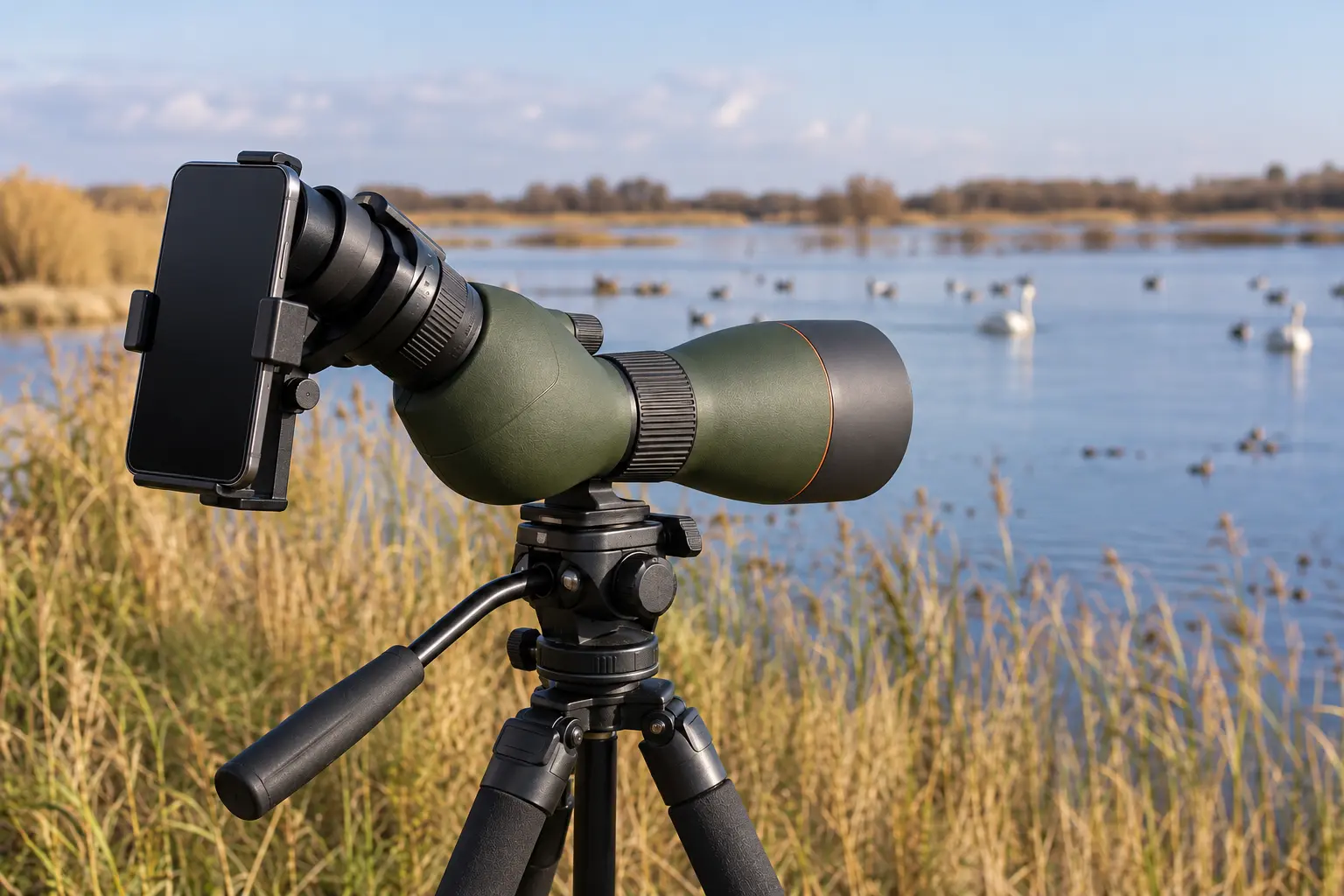
How to digiscope birds with a phone is fundamentally a lesson in stable optics, camera alignment and field technique. Start with the spotting scope already focused, then securely align one smartphone camera lens with the eyepiece. Good results depend as much on subject movement, air conditions and tripod stability as on the adapter. This guide explains a careful field workflow, with no unsupported promise that digital zoom can reveal details the scope itself cannot resolve.
What digiscoping actually does
Digiscoping joins a camera to an optical viewing instrument, most often a spotting scope. With a smartphone, the phone camera records the image emerging from the scope eyepiece rather than receiving light directly from the distant bird. This can produce a larger apparent subject without purchasing an interchangeable telephoto lens. The method has constraints: the adapter must align one phone lens precisely with the eyepiece, the scope must remain steady, and an enlarged image is not automatically sharp. Begin with realistic expectations, using the system to document identifiable field marks rather than assuming every distant subject can become a professional photograph.
Choose a stationary and safe viewing location
A heavy tripod and long optical tube need firm ground, clear foot space and a position from which you can observe wildlife without disturbing it. Avoid setting tripod legs across public pathways or near an unstable bank. Select a site with a relatively still bird, such as a perched raptor or a wader on a distant mudflat, for your first attempts. Moving songbirds can be too difficult while learning alignment. Never look at the sun through a spotting scope or aim an unfiltered optical instrument toward it: intense concentrated sunlight can cause permanent eye injury and may damage camera equipment.
Start with the spotting scope alone
Before mounting a phone, find your subject through the scope eyepiece. Begin at a low zoom setting, locate a recognizable landmark, focus carefully and then adjust magnification until the bird is visible clearly. If the air appears to shimmer or the image softens when you zoom, reduce magnification rather than trying to record a larger blur. A stable view through the eyepiece is the baseline for successful digiscoping. An adapter cannot repair an out-of-focus instrument or compensate for a flimsy tripod. This step also prevents fiddling with phone alignment while the subject leaves the field.

Measure the eyepiece, not just the scope objective
Universal smartphone adapters normally grip the outside diameter of an eyepiece. They do not necessarily fit the same range of diameters, and the objective-lens diameter printed on the scope body is irrelevant to the clamp. Use a ruler or caliper according to the maker’s guidance and include any relevant rubber eyecup shape. Confirm that the selected adapter grips a rigid area securely without damaging the eyecup or blocking the zoom control. Celestron’s NexYZ and NexGO, for example, have different published eyepiece clamp ranges, so the presence of a universal label alone is not a compatibility guarantee.
Check phone size, cases and camera position
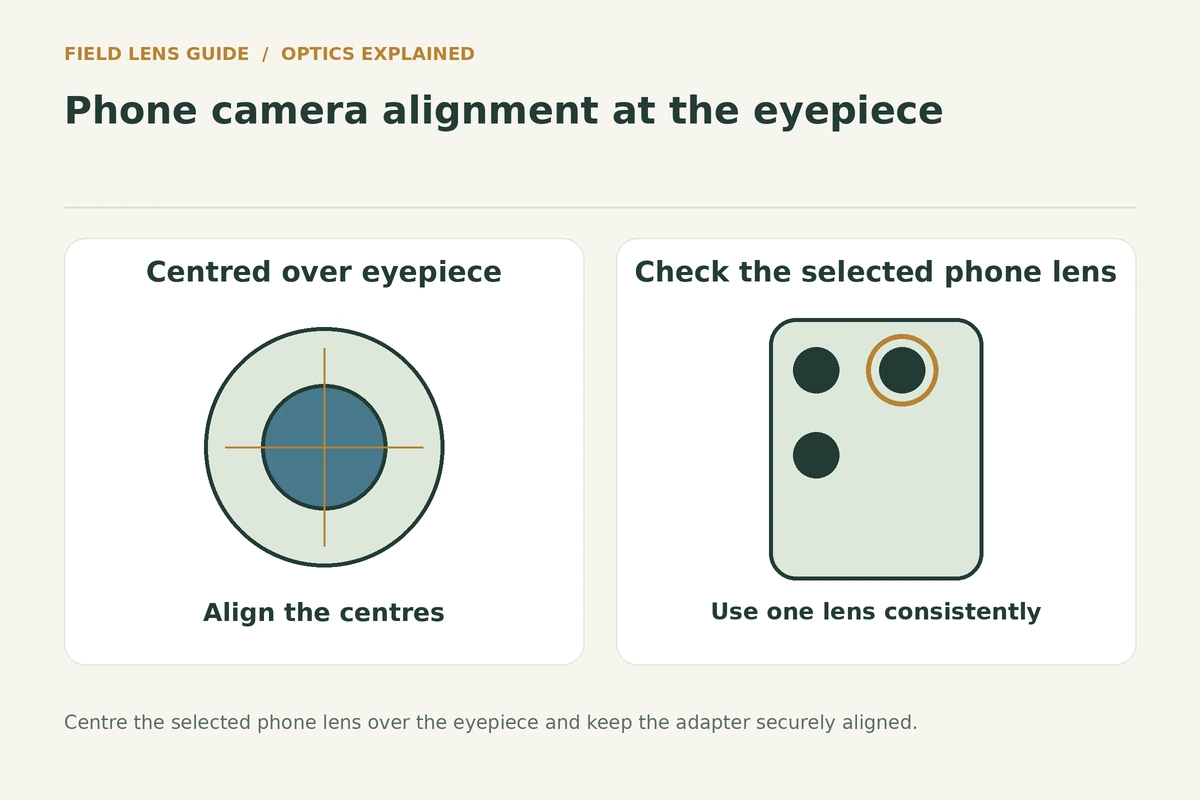
Measure the phone width with its usual protective case. A clamp’s advertised support range may refer to width rather than the overall diagonal screen size. Thick wallet cases or battery cases can prevent secure attachment even when the bare phone fits. Multi-camera phones may switch lenses automatically at certain zoom settings, making the optical image suddenly disappear. Identify the camera the software is actually using, disable automatic switching if the phone allows it, and verify that the adapter can place that particular lens over the eyepiece centre. Do not assume all phone cameras occupy the same location.
Align the camera with the scope exit pupil
Once the phone is held securely, align its chosen camera lens directly behind the centre of the scope eyepiece. Begin with approximate placement, open the camera preview and make small horizontal and vertical adjustments until the bright circle is centred. Where the adapter has a third depth adjustment, move the camera toward or away from the eyepiece to find a more complete image. Avoid pressing the phone lens hard onto optical glass. A properly aligned phone should show an evenly centred circle rather than a small bright crescent or a view blocked almost entirely in black.
Understand the black circular border
A circular dark border around the image is called vignetting in this context. The phone camera is seeing the limited circular field emerging from the scope rather than a full rectangular camera view. Some vignetting is expected during initial setup. Correct camera-lens centring and the phone-to-eyepiece distance first. A small adjustment in the phone’s camera zoom may crop the dark border, but substantial digital zoom will not create new detail. Do not aggressively enlarge until grain and blur disguise the bird’s markings. Photograph a broad, clearly focused field first and crop only when needed.
Keep shutter vibration low
Tapping a phone screen can move a lightweight scope on its tripod, especially at high magnification. Use a short self-timer, a compatible remote shutter or a volume-button release where supported. A separate Bluetooth shutter included with some kits is convenient but does not eliminate wind or bird movement. Wait for the image to settle after focusing and avoid leaning on the tripod while triggering the shot. If repeated photos look soft despite accurate focus, check whether the head droops when the phone is attached and whether the tripod recovers quickly after even a gentle touch. For the support underneath the adapter, follow the guide to setting up a scope and tripod before aligning the phone.
Use moderate magnification first
A 20–60x spotting scope can make it tempting to take every photograph at 60x, but the upper end narrows the field and increases sensitivity to atmospheric disturbance. At low-to-moderate settings, birds are easier to frame and the exit pupil is usually larger. Move gradually upward only if the image remains clearly resolved in the preview. High zoom may help document a stationary bird in calm morning air while being counterproductive over a sun-warmed mudflat. Consider the phone’s own digital zoom separately from the scope’s optical zoom; they are not equivalent forms of magnification.
Manage exposure and focus on the phone
The spotting scope’s focus wheel determines whether the optical image is sharp before it reaches the phone. The smartphone then focuses and adjusts exposure for the scene it sees. A white bird against dark water can be overexposed, while a dark bird against bright sky may become a silhouette. Where available, tap the bird to set focus and exposure, and lower exposure compensation if highlight detail is disappearing. Shoot several frames because slight subject or atmospheric movement can change results rapidly. Preserve original files if you intend to use images for identification or recordkeeping. For uncertain subjects, use the field clues in identifying distant birds rather than relying on a soft phone image alone.
Photograph stationary birds before flight
A perched bird provides time to align the camera, focus and choose framing. A rapidly flying swallow may leave the small scope field before you can make those adjustments. For active birds, binoculars or a camera with suitable autofocus may be more appropriate. At wetlands, watch where a bird regularly stops and pre-aim the scope toward that area rather than pursuing it through the sky. Avoid repositioning the tripod close to wildlife just to fill the frame. Good fieldcraft, distance and patience are often more valuable than another step of digital enlargement.
Protect the bird and its habitat
Photography should not cause birds to abandon feeding, shelter or nesting behaviour. Keep to appropriate paths and observation areas, observe local wildlife rules, and do not move closer when an animal shows signs of distress. Avoid playback calls or bait used solely to obtain a photograph, particularly around sensitive habitats. A spotting scope’s distance advantage can help document birds while giving them space. Respect private property and the privacy of other people near your viewing position. An image is not worth disturbing a vulnerable bird or damaging vegetation.
Try short video sequences
Video can be useful for documenting movement or behaviour, and often provides more chances to select a clear frame from a relatively stationary subject. Keep the scope supported and start recording only after the composition settles. Long clips at maximum zoom may show obvious shimmer and shake, so moderate magnification often helps. Check whether the phone is recording from the same lens used for the still preview; some phones change lenses or stabilization modes between recording types. Save enough battery and storage space for the entire outing, and review footage in good light before dismantling the setup.
Troubleshoot unexpected camera switching
If a black screen suddenly appears after changing the phone zoom, the phone may have switched from its main camera to a different lens that is not aligned with the adapter. Return to the known working camera mode and refocus. Some camera applications offer a lens lock or manual lens choice, but menus vary by phone and software version. Check the exact device’s settings rather than following an outdated screenshot. The simplest reliable method is often to position the adapter over the main camera, use ordinary photo mode and avoid camera modes that silently switch lenses.

Pack down without damaging the eyepiece
Support the phone before loosening an adapter clamp. Remove the camera and adapter carefully so neither falls against the objective lens or tripod legs. Refit eyepiece caps and inspect the clamp pads for grit. A phone adapter can put twisting force on an eyepiece if carried while still attached, so follow the adapter and scope makers’ transport instructions. Dry exterior moisture before enclosing the kit in a bag. Keep small adapter rings and the shutter remote in a separate marked pouch to prevent them from being lost during a field trip.
Choose gear by measured compatibility
Before buying a new adapter, record eyepiece outside diameter, eyecup shape, phone width, camera location and whether a protective case will stay fitted. Compare those values with exact manufacturer clamp limits and check the weight added behind the scope. Three-axis adapters can make depth alignment more straightforward, whereas simpler two-axis systems may pack smaller or cost less. Both can work with careful setup. Our forthcoming phone adapter comparison separates compatibility and handling from unsupported claims of image sharpness.
A repeatable first-session routine
Begin with a safe stable location and a stationary target. Mount the scope, focus at low zoom and confirm the subject is clear through the eyepiece. Attach the phone adapter securely, open the camera preview, centre the chosen lens and adjust phone-to-eyepiece spacing. Take a few test pictures, check for vignette shadows and camera switching, then increase magnification only as far as conditions allow. Use a timer or remote to avoid introducing shake. Recheck the setup after moving the tripod or changing phones. This routine makes learning more effective than constantly altering multiple settings at once.
Sources and practical references
- Audubon: Digiscoping Gear
- Audubon: How to Photograph Birds With a Smartphone
- Celestron: NexYZ clamp and alignment specifications
About the author
Simon Jack
Simon Jack is the named author of FieldLens Guide's research-based binocular, spotting scope and wildlife observation articles. His published editorial approach focuses on verifying model-specific manufacturer specifications, explaining optical tradeoffs in plain language, and matching equipment to real birdwatching, hiking and nature-observation needs. These articles do not claim hands-on product tests unless explicitly documented.